Alpha Clip/Alpha Clip+
Comes with 4 nodes that will you need to replace.
WARNING
Information displayed below is for the Alpha Clip+ Material.
For the regular Alpha Clip material, 3 total texture nodes are present and Node 2 is swapped with the Alpha Mask.
Node 1: Normal/AO/Roughness (RGBA)
R - Normal Map Red channel
G - Normal Map Green channel
B - Ambient Occlusion
A - Roughness
INFO
Making the Ambient Occlusion texture fully white may give better results in game. Using the actual texture seems to darken colors when down on planets.
Node 2: Emissive Texture
A multi colored RGB texture that supports multi-colored emissions.
INFO
To Change the intensity of the emission for your material, open the Material Editor in the SDK UI and edit the TemporaryEmissionRemapRange Variable
Node 3: Color Texture
Node 4: Alpha Mask
The Alpha Mask is particularly important.
It depicts what part of your model is fully visible and what part is fully transparent. Sadly it is only a grayscale image in black and white as Alpha Clip has no capabilities for partial transparency.
The White of the mask is visible and the black will be transparent.
Textures
From left to right, this is what each node would look like:
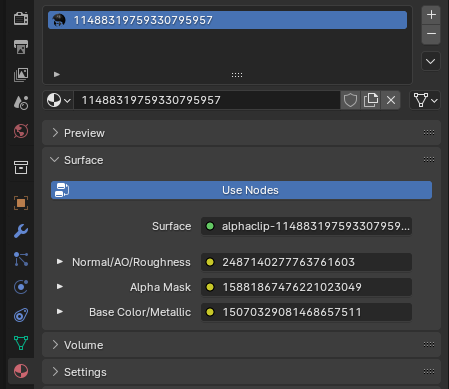
In Blender
In Blender this is what the textures look like. Unfold using the arrow on the left and press the folder icon to select your texture.