LOD Dependant Units
Certain units in this game will require you to modify all LODs of the unit in order to properly modify it in-game. Some examples of this are the P-4 Senator Pistol and the AC-8 Autocannon Backpack.
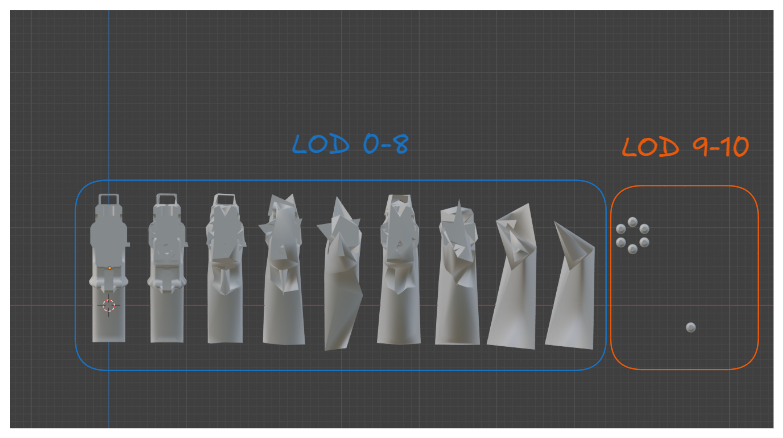
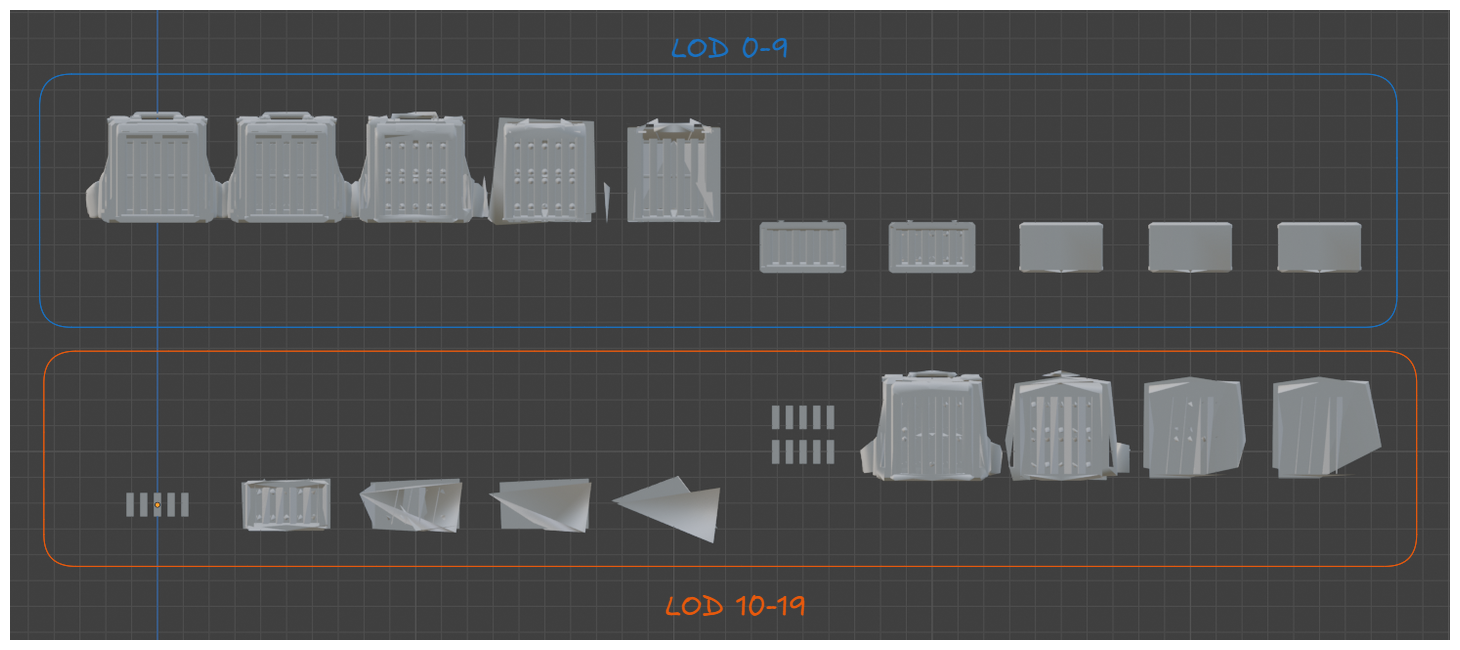
As you can see, the Senator pistol has it's bullets in LOD 9-10 and the AC-8 Backpack has stripper clips in LOD 10 and LOD 15. If you had the Auto LODs setting enabled, the Senator would lose the bullets in-game and the AC-8 Backpack would lose the stripper clips.
Replacing LODs
To start off with, mod your weapon onto LOD 0 of the unit you are replacing. Refer to the previous section until you reach this stage.
Once you have done so, you will have two choices:
Replace all the LODs with the same quality as LOD 0
Manually decimate `LOD 0` so that each further LOD
The first option takes no time to do, but will have a higher impact on performance if the model you are using has a large amount of vertices, while the second option will have a reduced impact on performance but will take slightly longer to do.
LOD Replacement Option 1
Replace LOD 0 of the unit you are modifying. Each LOD of the unit will have a specific BoneIndexInfo and MeshIndexInfo associated with it. You can view it by clicking on the object in Blender and viewing the object custom properties.
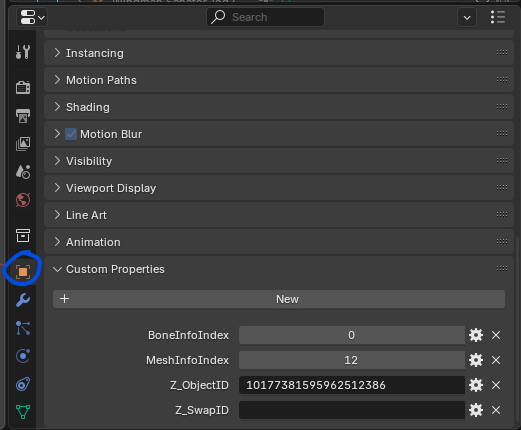
Specifically for the Senator, LOD 0 is BoneInfoIndex 0 and MeshInfoIndex 12
Here's is what the custom properties look like for Senator LOD 1
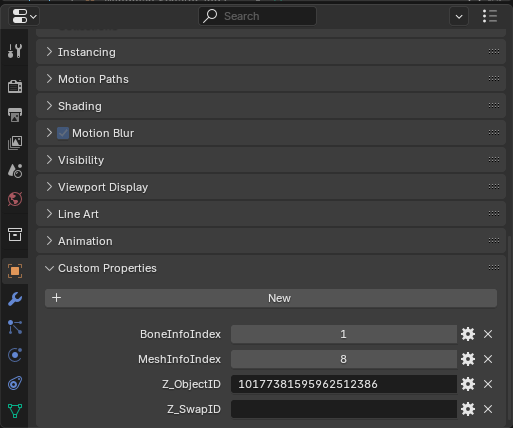
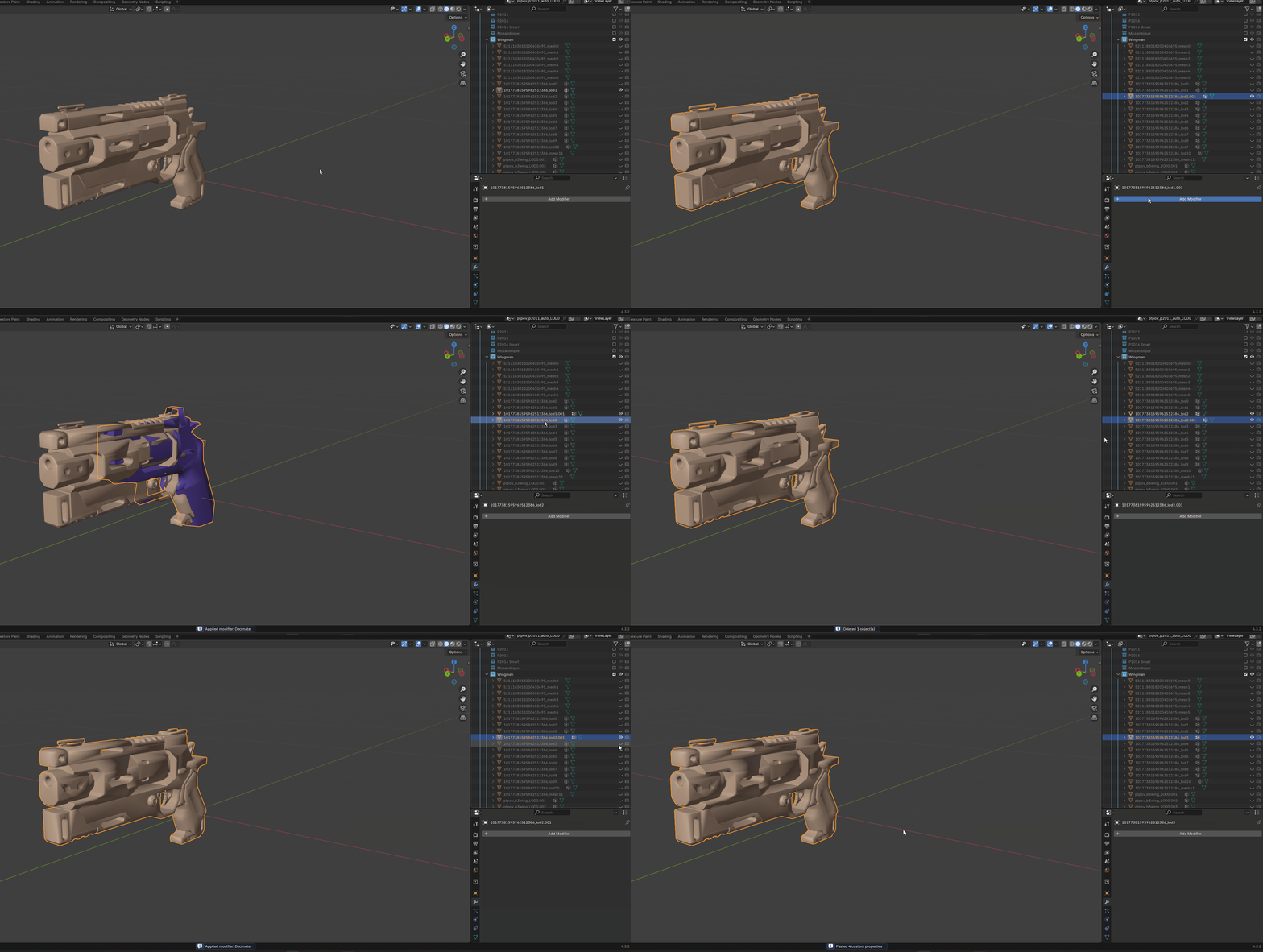
All you need to do to also replace properly LOD 1 for the Senator would be to copy the properties of it. Duplicate your LOD 0 then paste the properties of LOD 1 onto it.
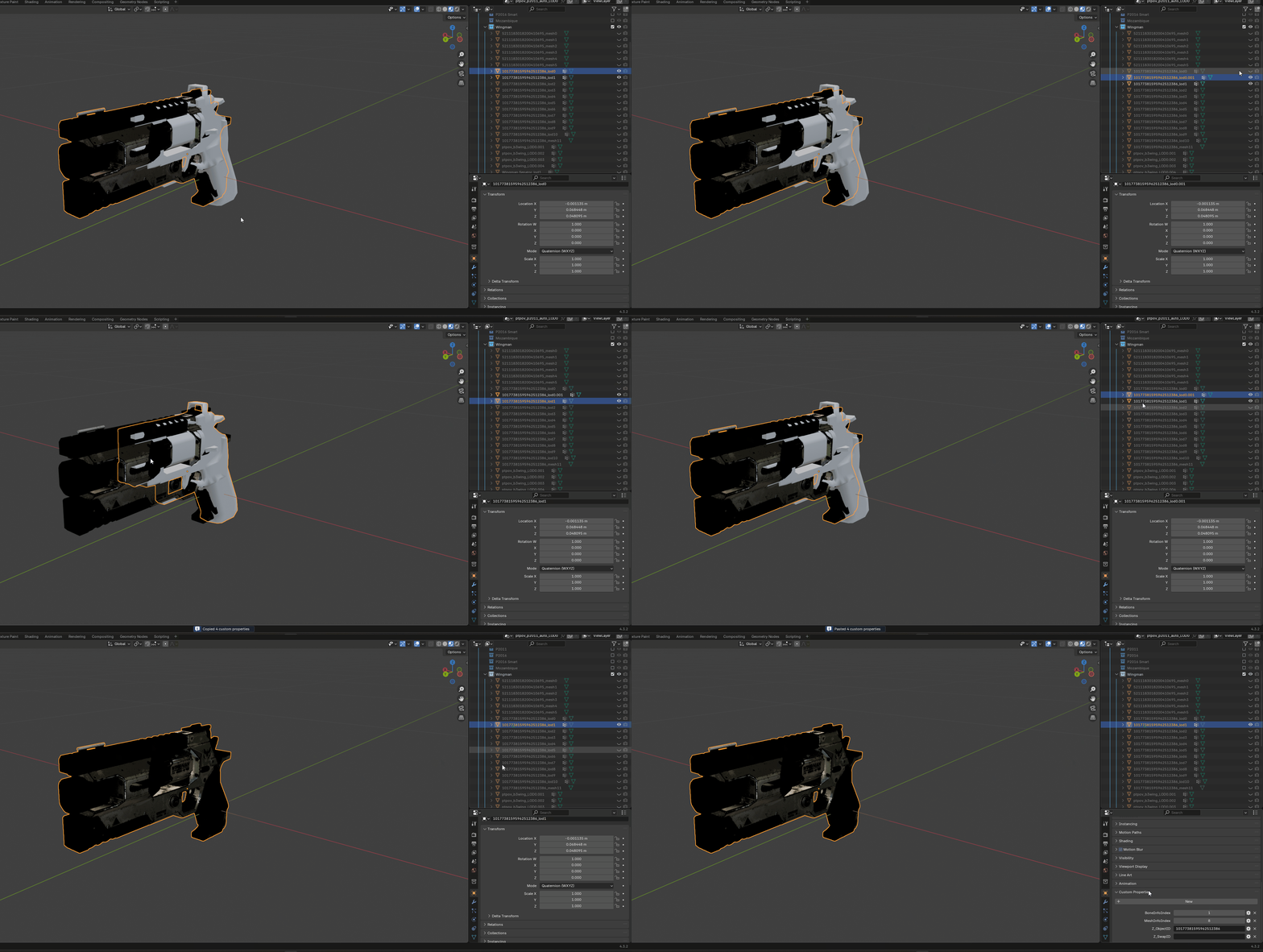
Repeat this for every LOD that needs to get replaced. In this case, you will need to replace LODs 0-8 to replace all the Senator gun meshes. You will then modify LODs 9 and 10 (Senator Bullets) as needed to work with your modded weapon.
WARNING
Sometimes points of origin change per LOD of a unit so make sure to check each LOD of the unit you are replacing to ensure that your points of origin are the same as the unit that is being replaced.
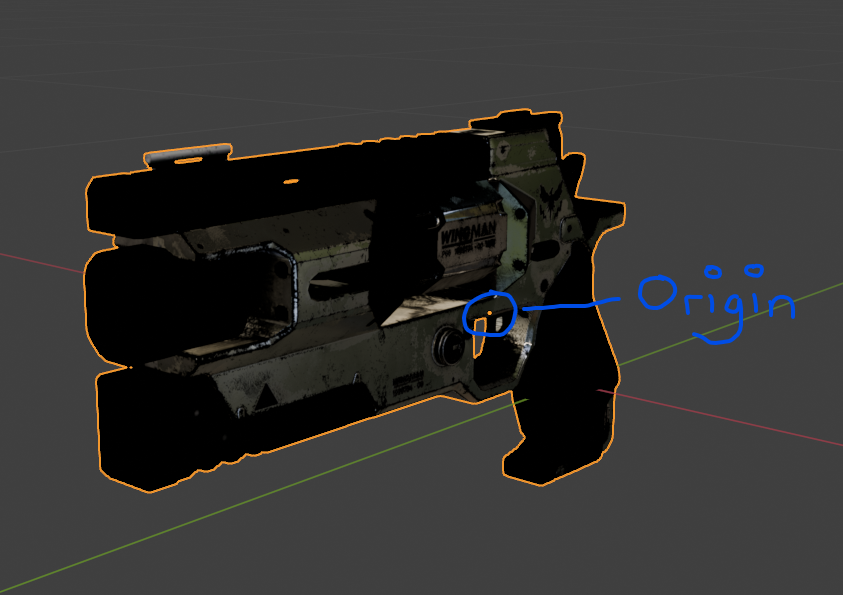
LOD Replacement Option 2
The steps are the same as before, but this time you will be decimating every subsequent LOD. This can either be done using the decimate modifier or by using a plugin.
When using this method, have LOD 0 and LOD 1 be the same quality. LOD 0 is usually used for first person view, and LOD 1 is used for third person view.
For LOD 2 and beyond, being using the decimate modifier. Change the settings to whatever you feel is right. Repeat until all relevant LODs are replaced.