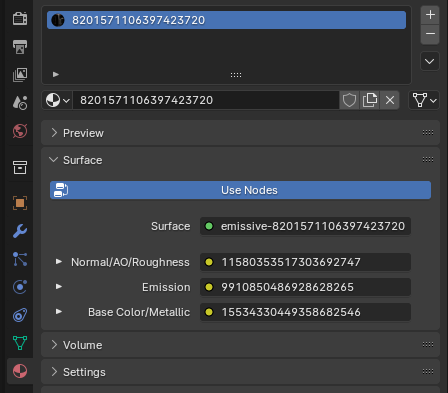
Emissive
Comes with 3 nodes that will you need to replace.
Node 1: Normal Texture
Node 2: Emissive Texture
Node 3: Color Texture
Textures
From left to right, this is what each node would look like:
In Blender
In Blender this is what the textures look like. Unfold using the arrow on the left and press the folder icon to select your texture.