Overview
A manifest is a text file used by mod managers to display/customize a mod. It must be a .JSON file (text file with a specific syntax).
Note
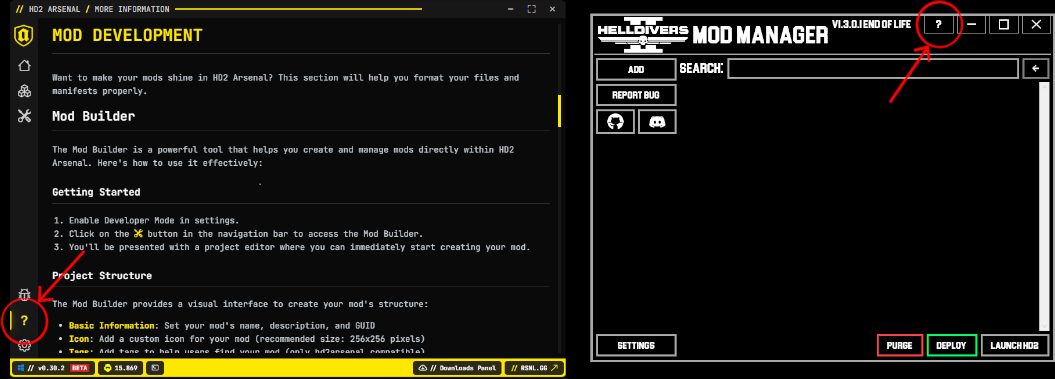
Arsenal and HD2MM both provide help sections that cover manifest file info. Arsenal also has a mod builder feature that helps you create a manifest file.
Creating a Manifest File
INFO
There are multiple versions of the manifest but this guide will only cover V1 as it is currently the most supported option.
Mod with No Options
Mod Manager View: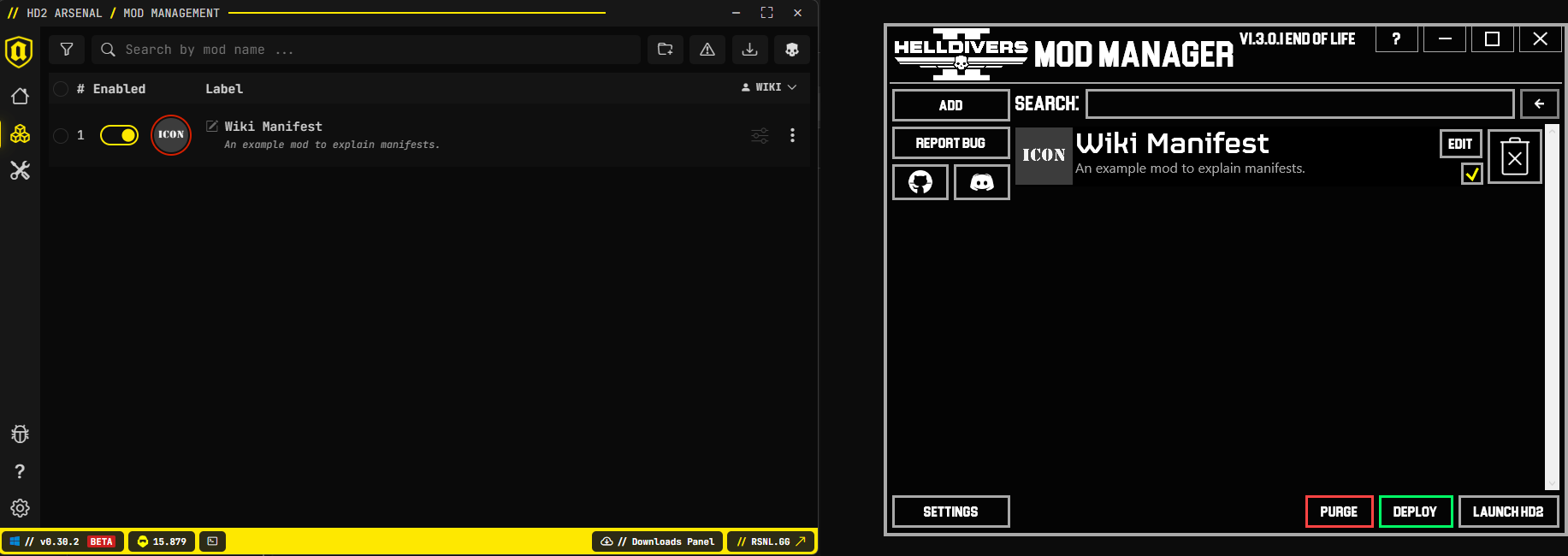 A simple manifest that provides a name, description, and icon.
In the image below the zip file contains all the files above it (the mod, manifest, and an icon (256 x 256 .png recommended)).
If you want to make a manifest file from scratch you can make a new text document and rename it's extension to .json
Only the zip file is needed by the mod manager.
File Structure: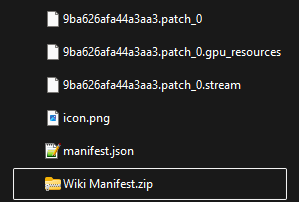
Manifest Code:
{
  "Version": 1,
  "Guid": "24cb6a0c-08f8-4281-89b9-22ea8dcf8a95",
  "Name": "Wiki Manifest",
  "Description": "An example mod to explain manifests.",
  "IconPath": "icon.png",
}| Name | Required | Description |
|---|---|---|
| Version | Yes | Manifest syntax version. Should always be "1" (since we're using version 1 of the manifest in this guide). Required by mod managers to read the manifest properly. |
| Guid | Yes | A unique identifier in form of a GUID. Used by the manager to tell the mod apart from others. You can get one here. |
| Name | Yes | User-friendly name of the mod to display. |
| Description | Yes | The user-friendly description of the mod to display. |
| IconPath | No | The path to the mod's icon, relative to the mods root. |
DANGER
The syntax of the manifest is critical. One missing comma or quotation and the manifest won't work.
Simple Options
Mod Manager View: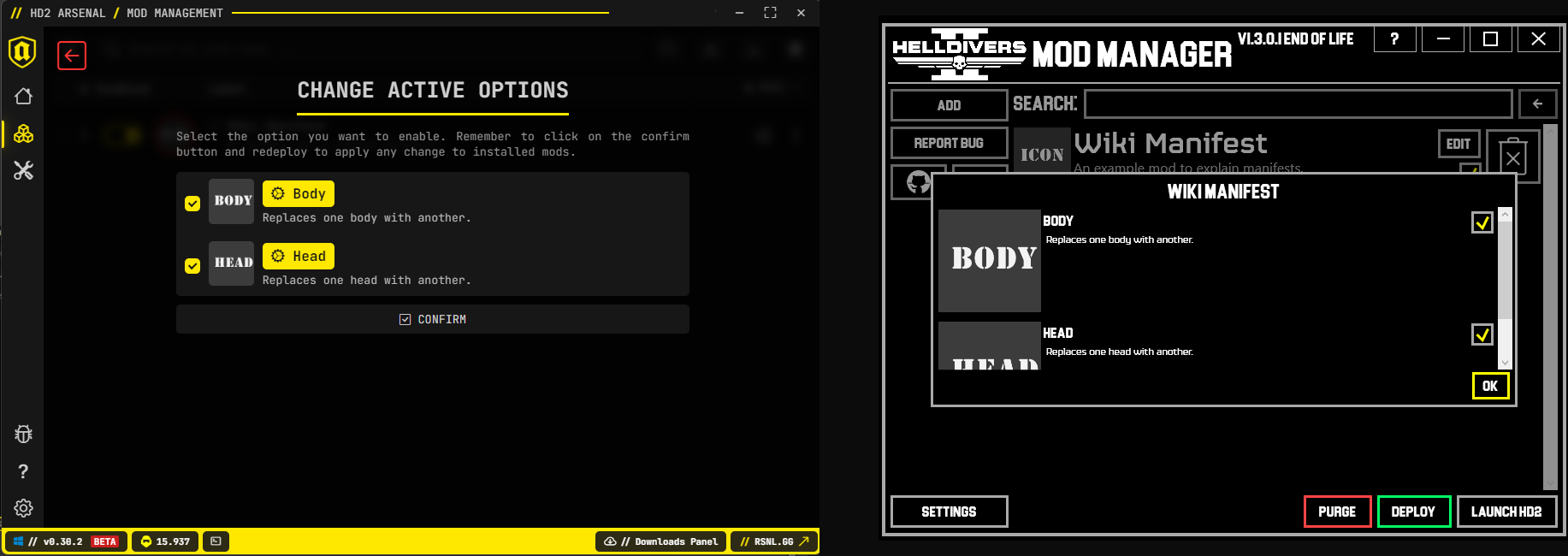 A manifest with options that adds the ability to turn on/off parts of the mod. In this example the Head and Body folders each contain different mod files.
In the image below the zip file contains all the files above it.
File Structure: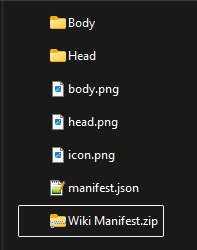
Manifest Code:
{
  "Version": 1,
  "Guid": "24cb6a0c-08f8-4281-89b9-22ea8dcf8a95",
  "Name": "Wiki Manifest",
  "Description": "An example mod to explain manifests.",
  "IconPath": "icon.png",
  "Options": [
				{
				"Name": "Body",
				"Description": "Replaces one body with another.",
				"Image": "Body.png",
				"Include": [
							"Body"
							]
				},
				{
				"Name": "Head",
				"Description": "Replaces one head with another.",
				"Image": "Head.png",
				"Include": [
							"Head"
							]
				},
			 ]
}
Options adds a list of mods to choose from inside this one mod. Each option is separated by curly brackets {}. Each option needs to have it's own name, description, image, and include. The include section lists which folder(s) to add when that option is selected.
SubOptions
Mod Manager View: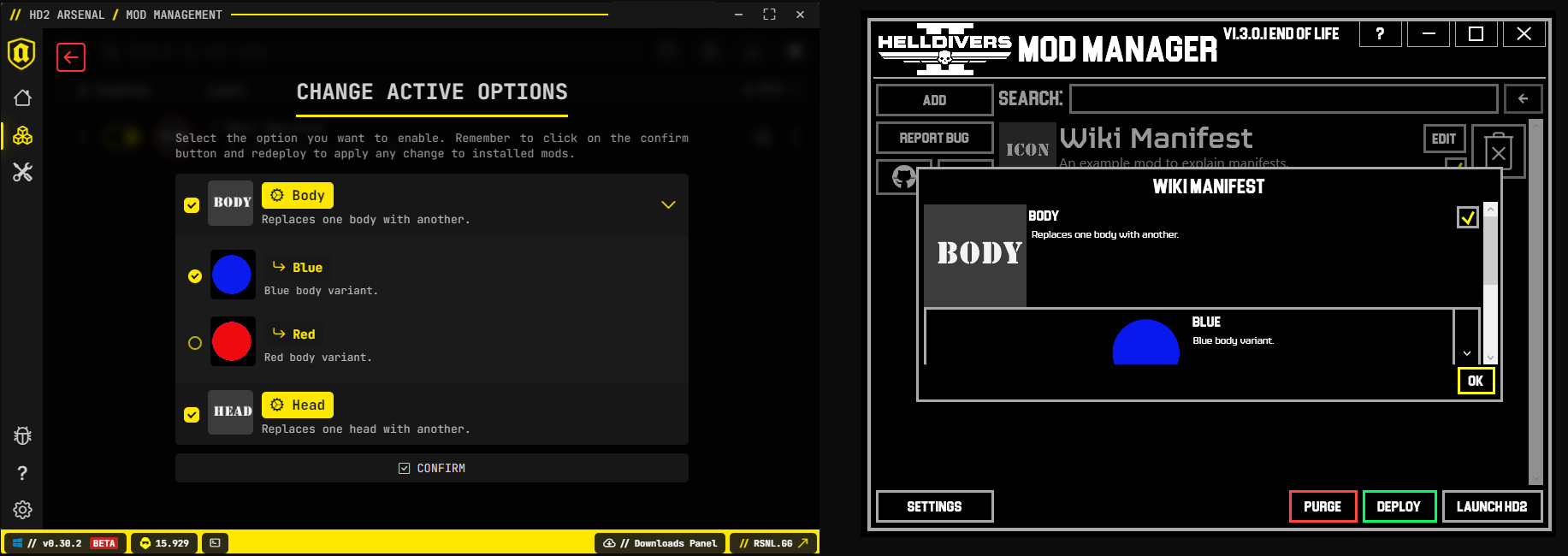 A manifest with options that have their own suboption that provide variants of the optional parts of the mod. In this example the Body contains 2 suboptions for different colors.
In the image below the zip file contains all the files above it.
File Structure: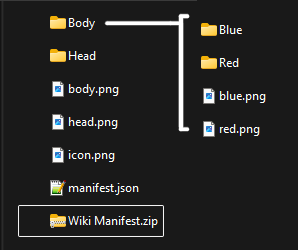
Manifest Code:
{
  "Version": 1,
  "Guid": "24cb6a0c-08f8-4281-89b9-22ea8dcf8a95",
  "Name": "Wiki Manifest",
  "Description": "An example mod to explain manifests.",
  "IconPath": "icon.png",
  "Options": [
				{
				"Name": "Body",
				"Description": "Replaces one body with another.",
				"Image": "Body.png",
				"SubOptions": [
								{
								"Name": "Blue",
								"Description": "Blue body variant.",
								"Image": "Body/Blue.png",
								"Include": [
											"Body/Blue"
											]
								},
								{
								"Name": "Red",
								"Description": "Red body variant.",
								"Image": "Body/Red.png",
								"Include": [
											"Body/Red"
											]
								},
							]
				},
				{
				"Name": "Head",
				"Description": "Replaces one head with another.",
				"Image": "Head.png",
				"Include": [
							"Head"
							]
				},
			 ]
}
In the code we added SubOptions to the Body section so the user can choose between the Blue or Red version. These SubOptions require the same data as regular Options.
WARNING
Users can only choose one SubOption at a time.